


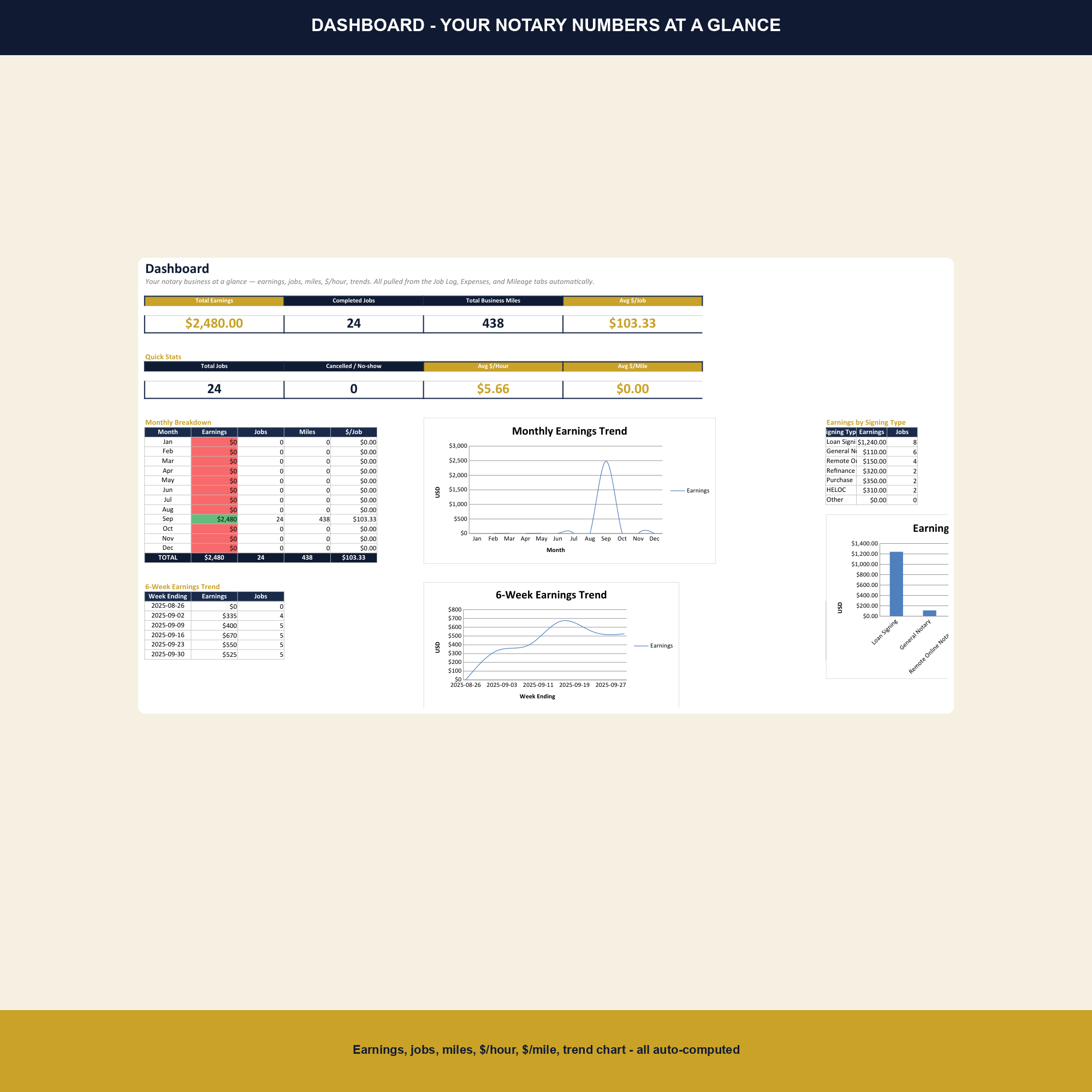
Mobile notaries and loan signing agents run real businesses — signings, travel, repeat clients, mileage, marketing spend, and self-employment tax — but most track it in a notebook or a notes app. The Notary Signing Agent Business Tracker is a single workbook that turns every signing into a row, every client into a relationship, and every mile into a deduction.
What this template tracks
- Every signing, every fee. Job log captures date, client, signing type (loan signing, general notary, I-9, apostille, etc.), fee, and notes. Sortable by date, client, or signing type for any look-back the IRS or a title company asks for.
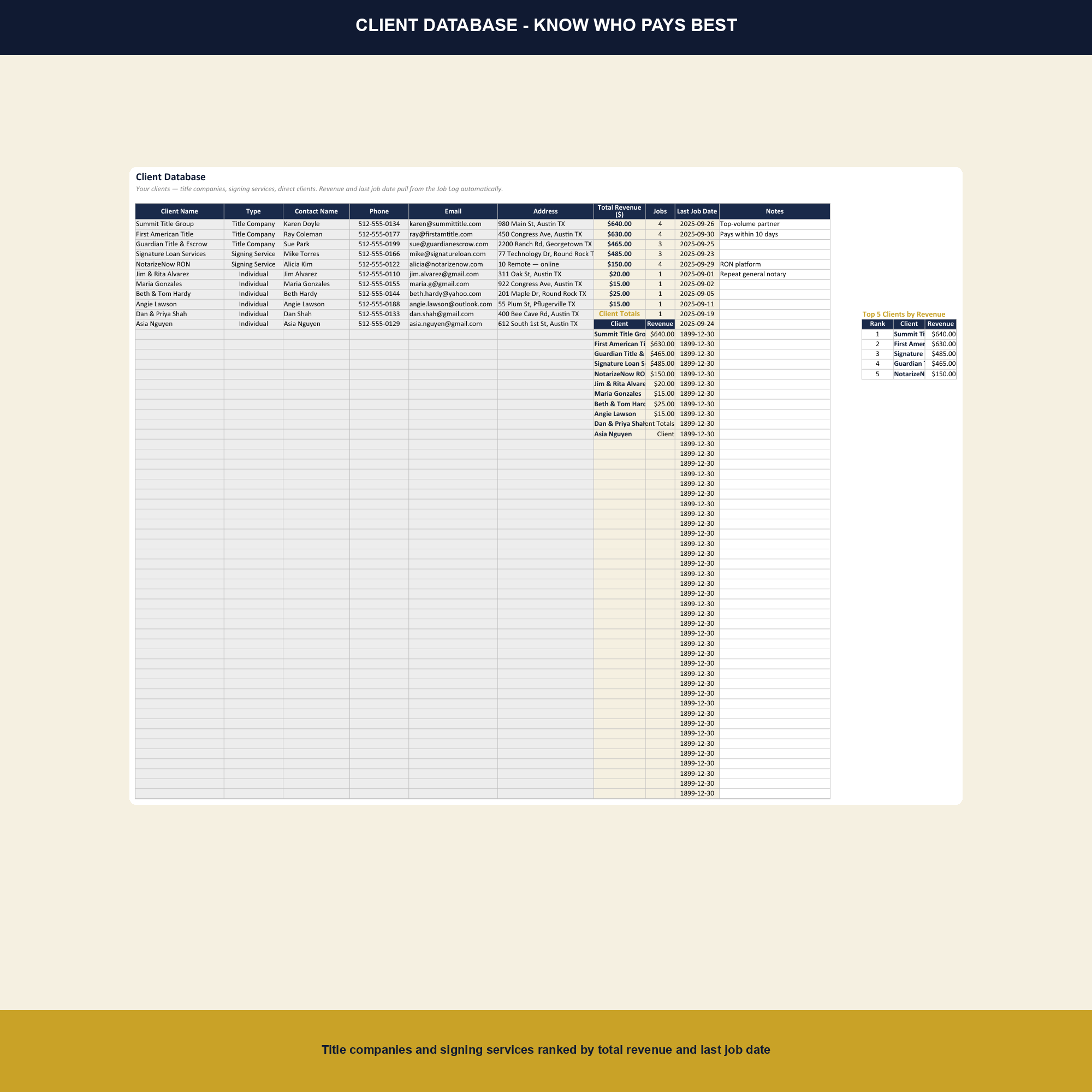
- Client database ranked by revenue. Title companies, real estate agents, attorneys, and direct clients are tagged and ranked by lifetime revenue so you know which relationships are worth the most.
- Mileage + 12 expense categories. IRS 2025 mileage rate ($0.70/mi) plus 12 categorised expense buckets — supplies, printing, marketing, insurance, education, background checks, E&O, and more.
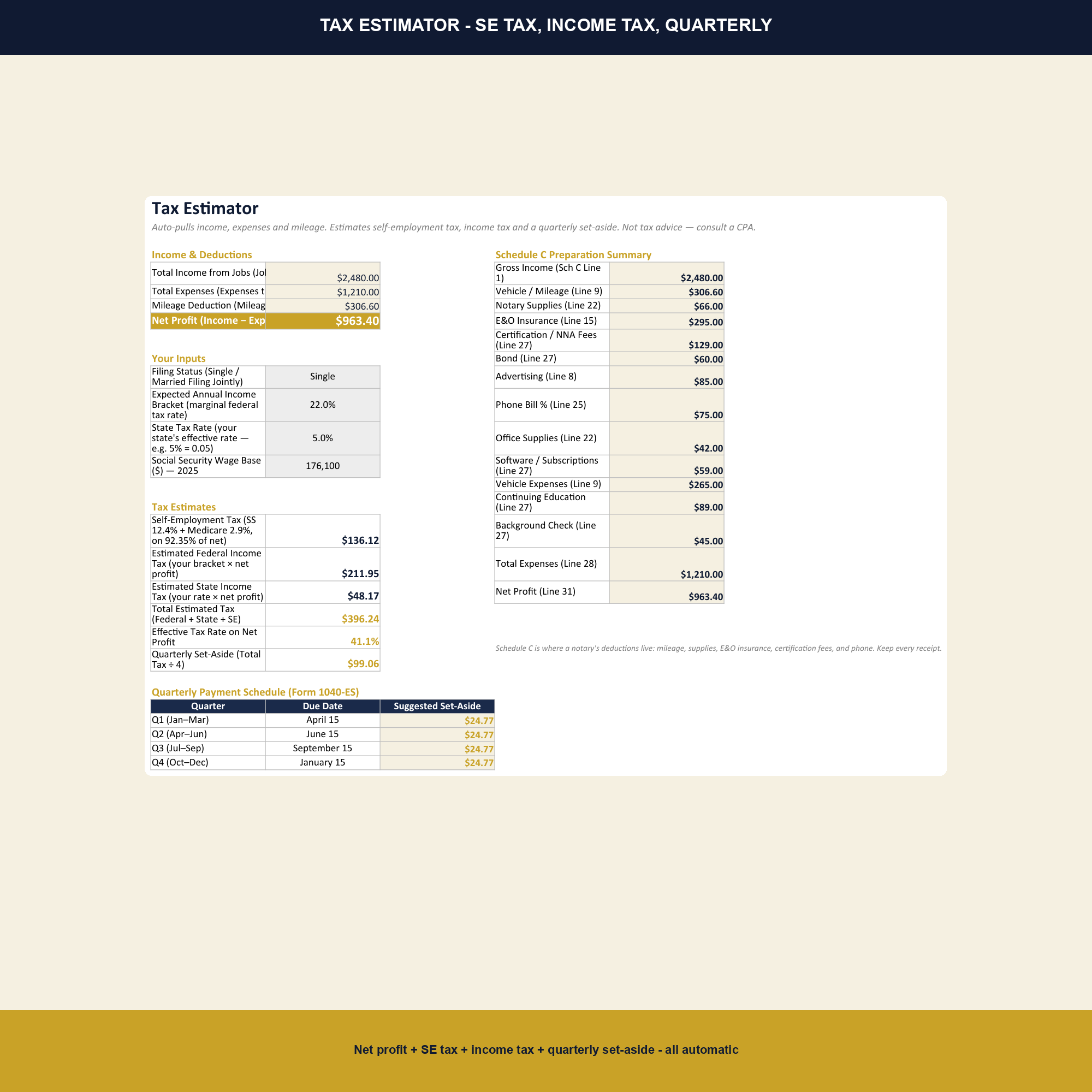
- SE tax estimator + appointment scheduler. Quarterly self-employment tax calculator plus a weekly appointment scheduler that prints to a calendar.
How to use it
Open in Excel or Google Sheets. Add each new client to the Clients tab once. Log every signing in the Job Log the same day — the Google Sheets mobile app works fine from the parking lot. Mileage and expenses go in their own tabs as the month goes on. The Dashboard, Tax Estimator, and Schedule tabs update automatically.
Why this matters
Notary income looks simple — you charge a fee, you get paid — until you account for the drive time, the printing, the background-check renewal, the E&O insurance, the notary association dues, and the marketing to title companies. A $150 loan signing that takes two hours of driving and $8 of printing is not a $150 job. This template captures the full cost per signing, ranks clients by the revenue they actually generate after travel, and turns the mileage and expenses into Schedule C deductions at year-end. For an agent doing 30 signings a month, the mileage deduction alone can cut taxable income by $5,000 or more — but only if every business mile is logged.
What is in the workbook
Nine tabs — Setup, Job Log, Clients, Mileage, Expenses, Tax Estimator, Schedule C, Appointment Scheduler, and Annual Dashboard — plus 1,125 formulas, 6 charts, and the 2025 IRS mileage rate pre-loaded. No macros, no external dependencies, no broken formulas between Excel and Google Sheets.
Who this template is for
Mobile notaries and loan signing agents who handle between 5 and 100 signings a month, want to know which clients and signing types actually pay, and need a clean handoff to their CPA at year-end without paying someone to rekey six months of notes.
Frequently asked questions
Does it handle loan signings separately from general notary work?
Yes. The Job Log has a Signing Type dropdown with Loan Signing, General Notary, I-9, Apostille, Acknowledgment, and Other.
Can I track repeat title-company clients?
Yes. The Clients tab tags each client by source — Title Company, Real Estate Agent, Attorney, Direct — and ranks them by lifetime revenue automatically.
Does it calculate quarterly self-employment tax?
Yes. The Tax Estimator tab projects annual SE tax and divides by four so you know the quarterly set-aside amount.
Will the Appointment Scheduler print to a calendar?
Yes. The Schedule tab is laid out as a weekly view that prints cleanly to letter-size paper, and exports to Google Calendar if you use the Sheets add-on.