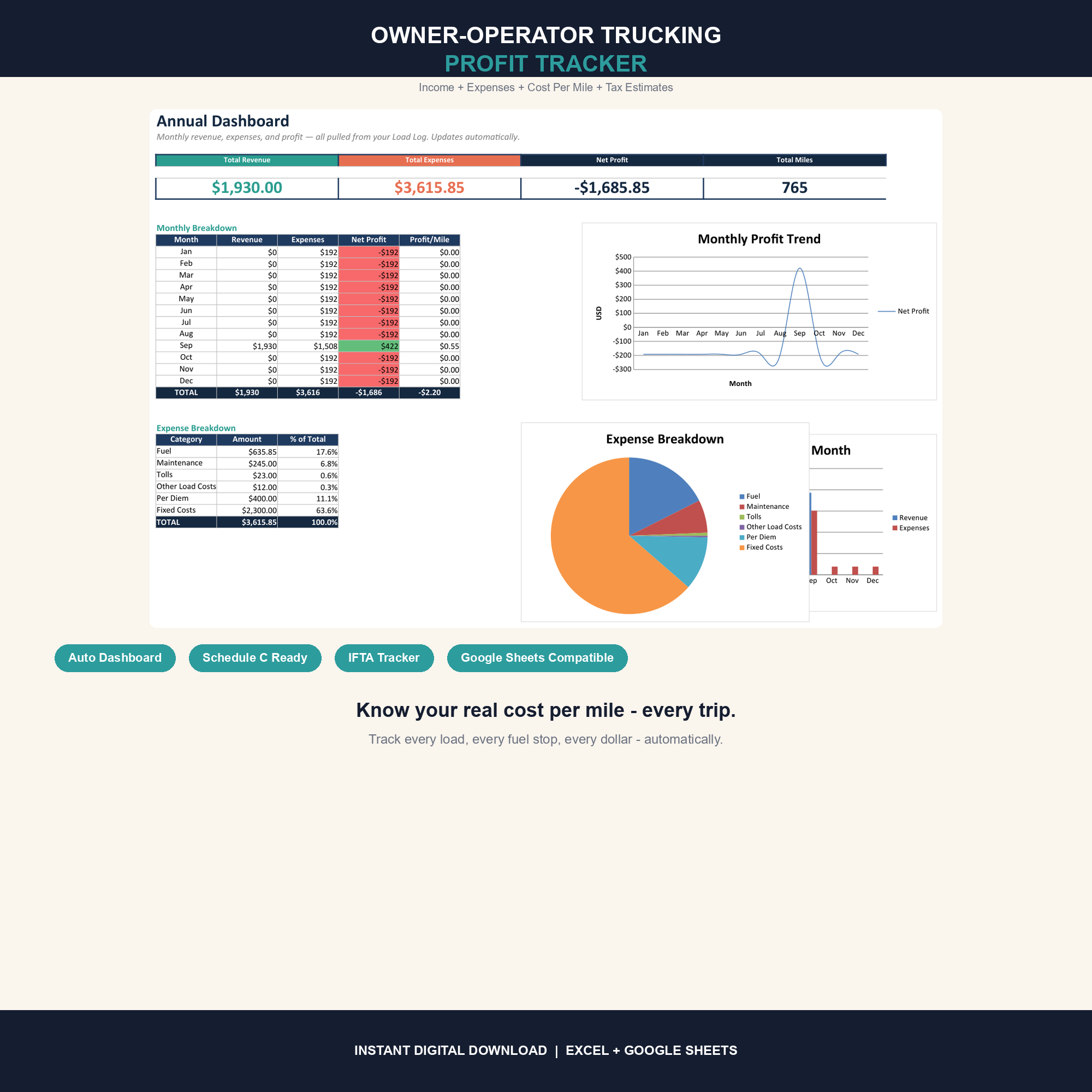
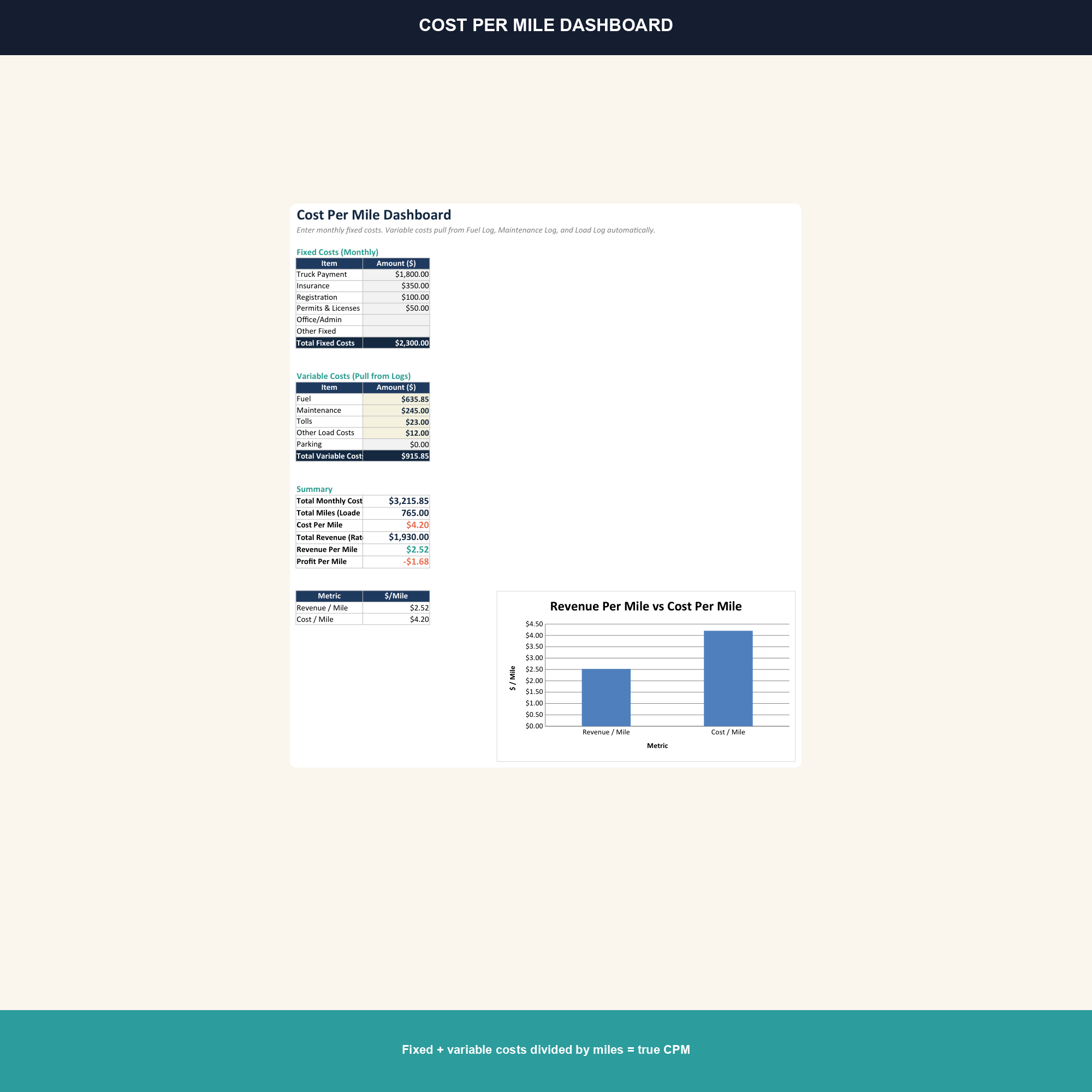
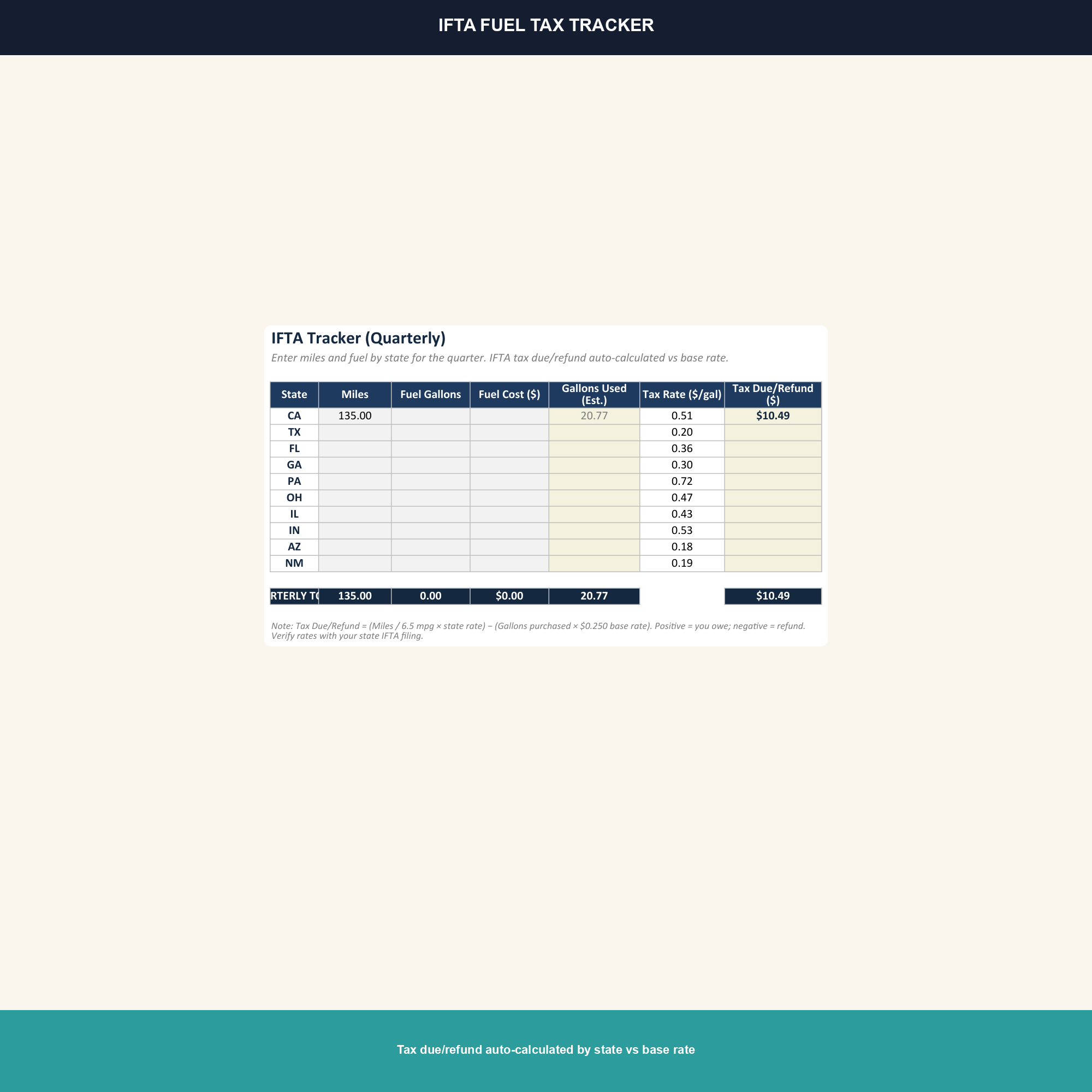
Owner-operators do not have a finance team. They have a notebook, a stack of fuel receipts, and a gut feeling about whether last month actually made money. The Owner-Operator Trucking Expense Spreadsheet replaces the gut feeling with a real cost-per-mile — the only number that tells you whether to take the next load.
What this template tracks
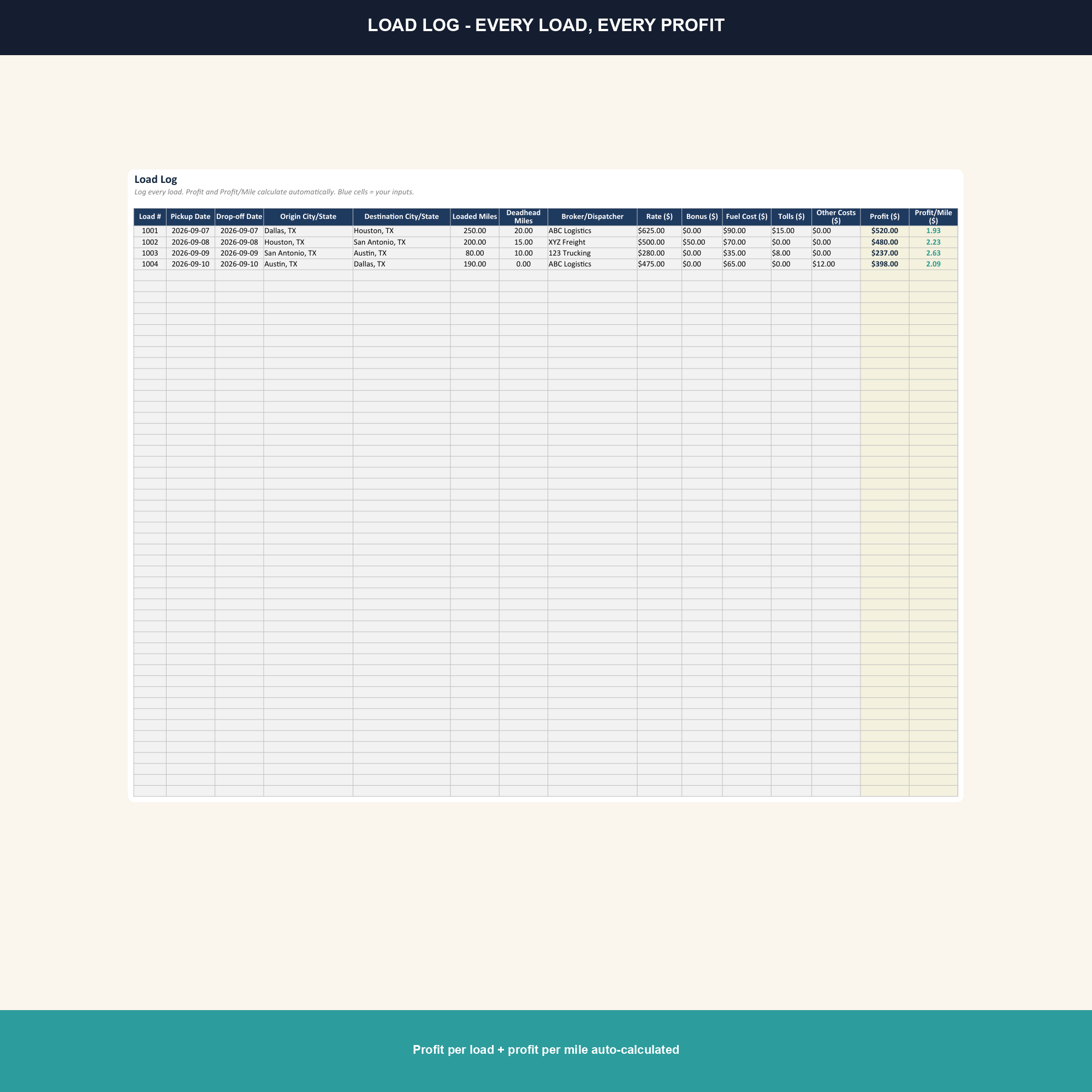
- Every load, every mile. Log origin, destination, broker, rate, deadhead miles, and loaded miles for every load. The tracker auto-calculates revenue per loaded mile and flags loads below your break-even.
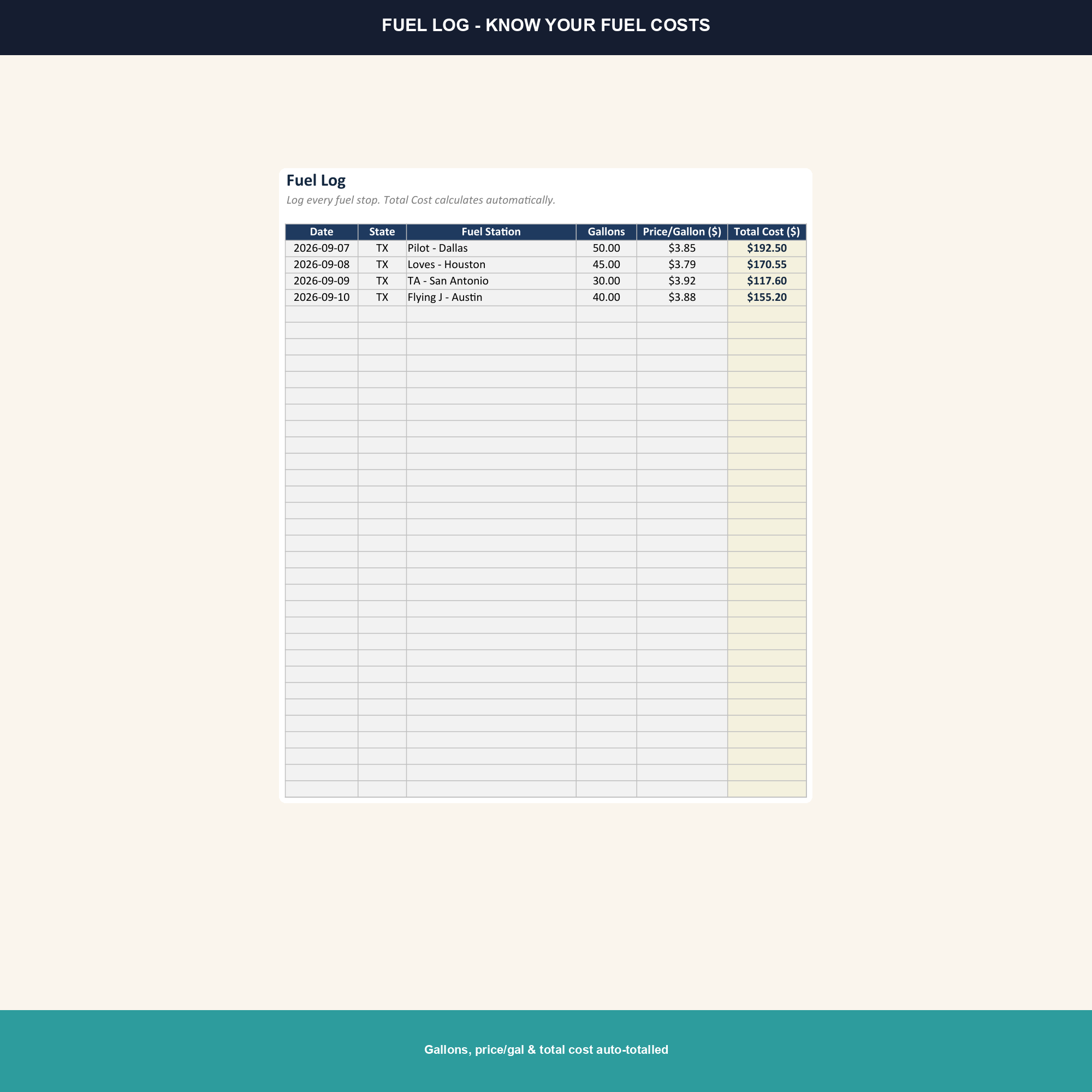
- Fuel and maintenance. A fuel log that ties gallons, price, and truck to the date; a maintenance log that tracks every service, part, and shop. Together they build the cost side of cost-per-mile.
- True cost-per-mile. Fixed costs (truck payment, insurance, plates, permits) plus variable costs (fuel, maintenance, tires, tolls) divided by total miles. That is your real number.
- IFTA + per diem. Per-state mileage log that calculates IFTA fuel tax quarter-by-quarter, plus a per-diem tracker for overnight trips.
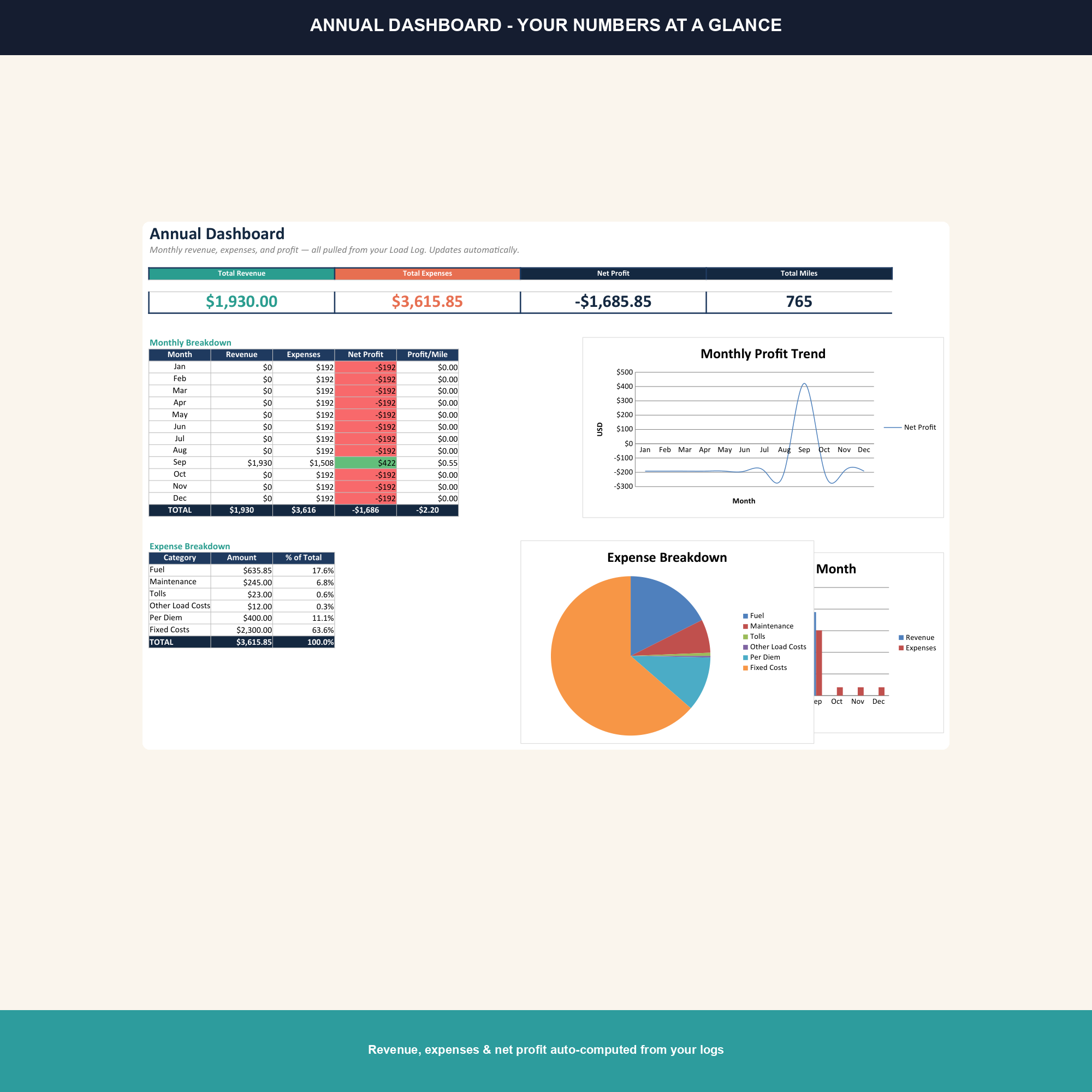
- Schedule C draft. Annual dashboard rolls income, deductions, and net profit into the categories the IRS expects from a self-employed driver.
How to use it
Open in Excel or Google Sheets. Start in the Setup tab with your truck info and fixed monthly costs. Log every load in the Load Log the same day — most drivers do it from the phone via the Google Sheets mobile app. Fuel and maintenance go in their own tabs as receipts hit. The Cost Per Mile, IFTA, and Schedule C tabs read from those logs and update themselves.
Why this matters
The single most expensive mistake an owner-operator makes is not knowing cost-per-mile. If your fixed and variable costs work out to $1.80 per mile and a broker offers $2.00, you are making 20 cents — not $2.00. But most drivers calculate cost-per-mile once a year at best, using last year's fuel prices. This template recalculates it every time you log fuel, so the number reflects what you are paying at the pump this week. When fuel spikes, you see it in your break-even the same day. That is the difference between turning down a bad load and taking it because it looked like a good rate.
What is in the workbook
Ten tabs — Setup, Load Log, Fuel Log, Maintenance, Cost Per Mile, IFTA, Per Diem, Schedule C, Annual Dashboard, and Sample Data — plus 478 formulas, 4 charts, and all 48 contiguous US states + DC pre-loaded for IFTA. No macros, no external dependencies, no broken formulas when you switch from Excel to Sheets.
Who this template is for
Owner-operators running one truck or a small fleet who need to know — in dollars, not vibes — whether they are actually making money per mile, and to file quarterly IFTA and annual Schedule C without paying an accountant $400 to rekey the same numbers.
Frequently asked questions
Will this calculate IFTA quarterly?
Yes. The IFTA tab tracks per-state miles and fuel purchases and calculates the net tax owed or refund due each quarter for all 48 contiguous US states plus DC.
Does it work for leased-on drivers?
Yes. The Setup tab lets you enter your own fuel and maintenance costs versus carrier-paid, and the Cost Per Mile calculation works for both.
Can I track multiple trucks?
The template ships with one truck pre-configured. Adding a second is a row in the Setup tab and an extra column in the Load Log.
Is it compatible with QuickBooks?
The Annual Dashboard can be exported as CSV and imported into QuickBooks Self-Employed or full QuickBooks. The categories map cleanly to standard chart of accounts.